
HEATHER
ux/ui design
project OVERVIEW
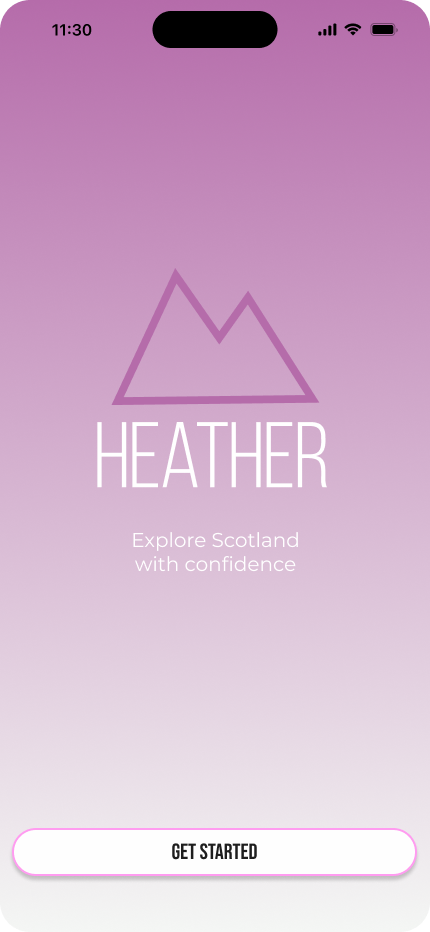
Heather is a high-fidelity mobile app prototype designed to help women feel safer, more confident, and more prepared when exploring outdoor spaces in Scotland.
Created as my final year capstone project, Heather brings together beginner-friendly routes, safety information, community-led inspiration and confidence-building features in one calm and supportive experience.
tools
Figma / Adobe Illustrator / Google Forms / Trello
outcome
First Class Honours project, awarded an A
my role
UX Research / Competitor Analysis / Branding / Wireframing / UI Design / Prototyping
the design challenge
the problem
Women may experience outdoor spaces differently due to safety concerns, confidence barriers and the pressure of not knowing where to start.
the aim
Heather was designed to help women feel safer, more prepared and more confident before heading outdoors. The goal was to create an experience that felt supportive, calming and easy to use.
the design question
How might we support women in discovering outdoor routes while reducing anxiety around safety and feeling more confident through UX Design.
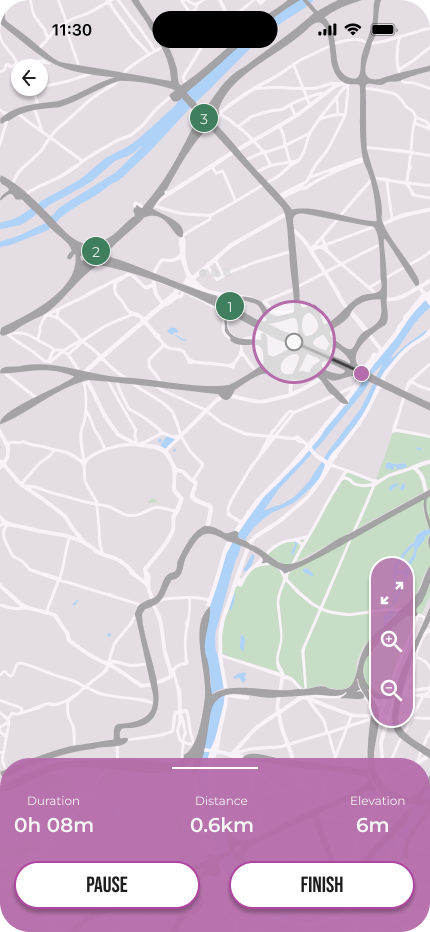
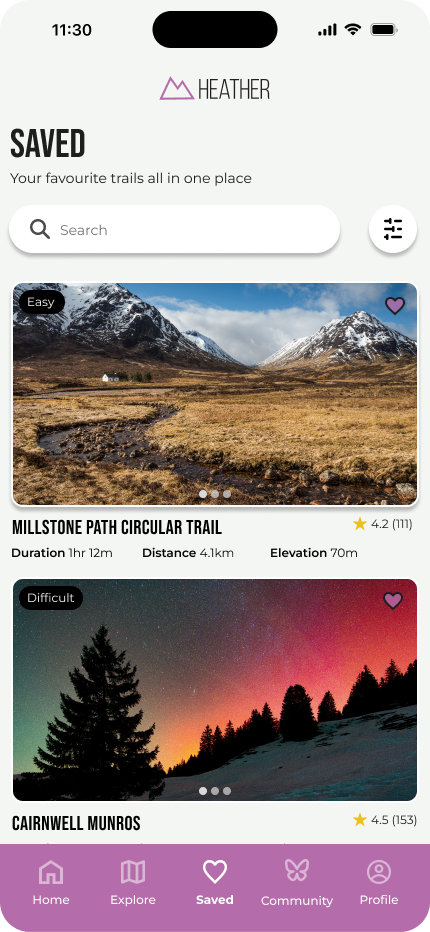
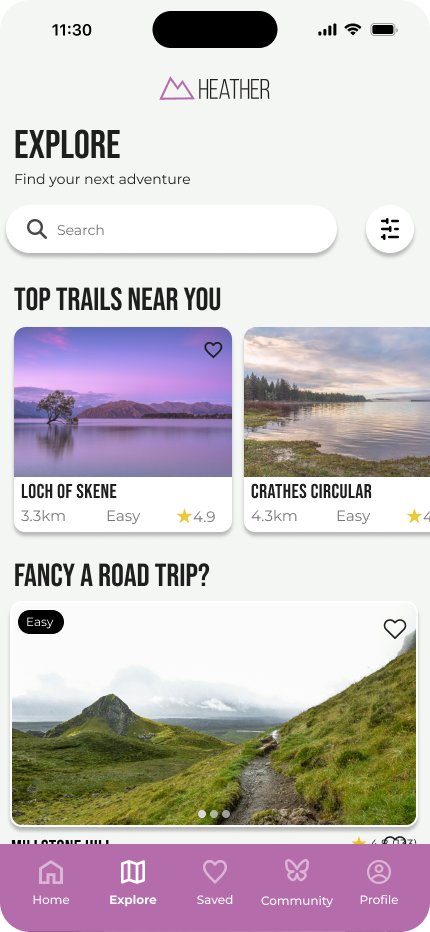
DESIGN PROCESS
Before moving into high-fidelity design, I explored the problem through user research, information architecture, and early wireframe sketches. This helped me define Heather’s structure, prioritise key features and create a clearer journey for users.
user research
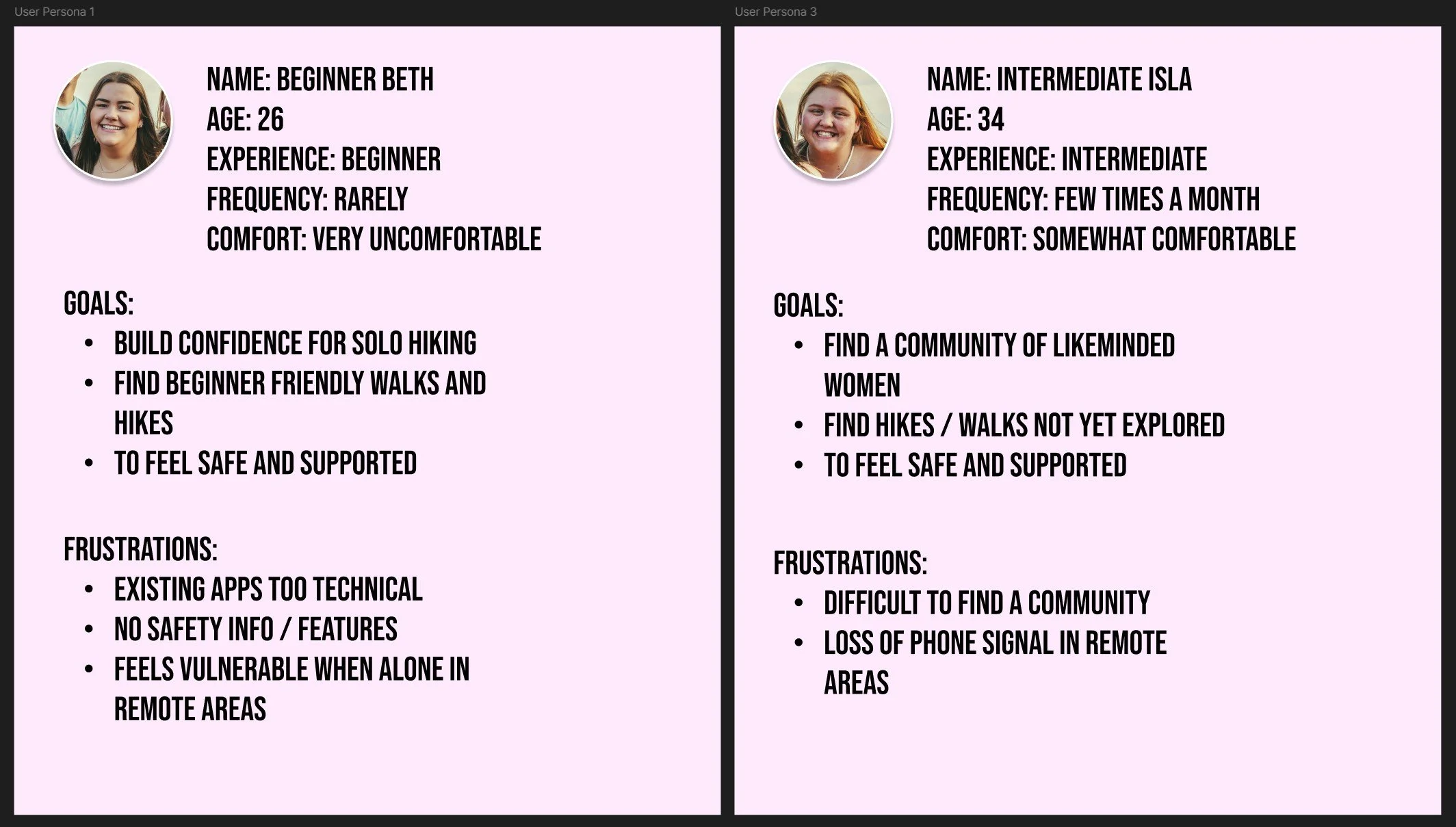
I created user personas based on my research findings to represent different confidence levels, motivations and barriers around solo outdoor exploration.
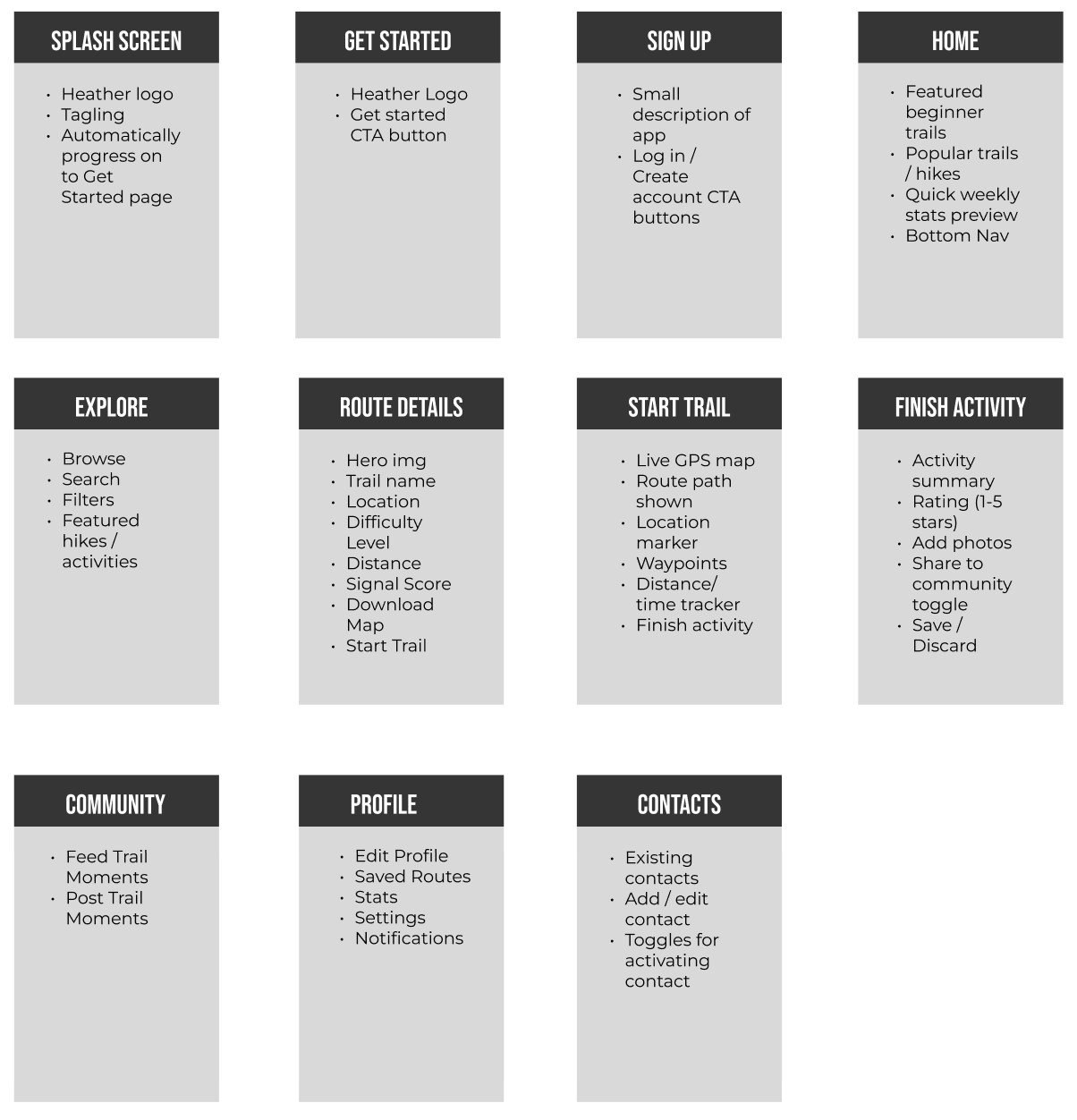
APP STRUCTURE
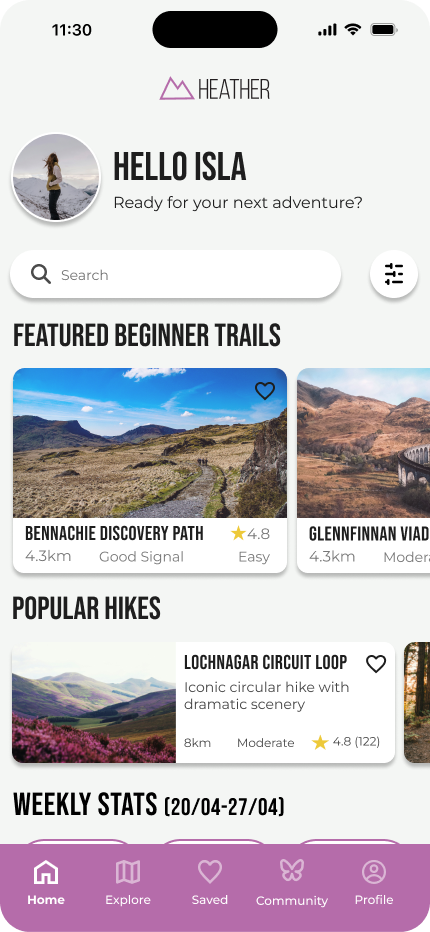
I mapped out the main screens and content needed within the app, including onboarding, route discovery, route details, community, profile and safety contacts.
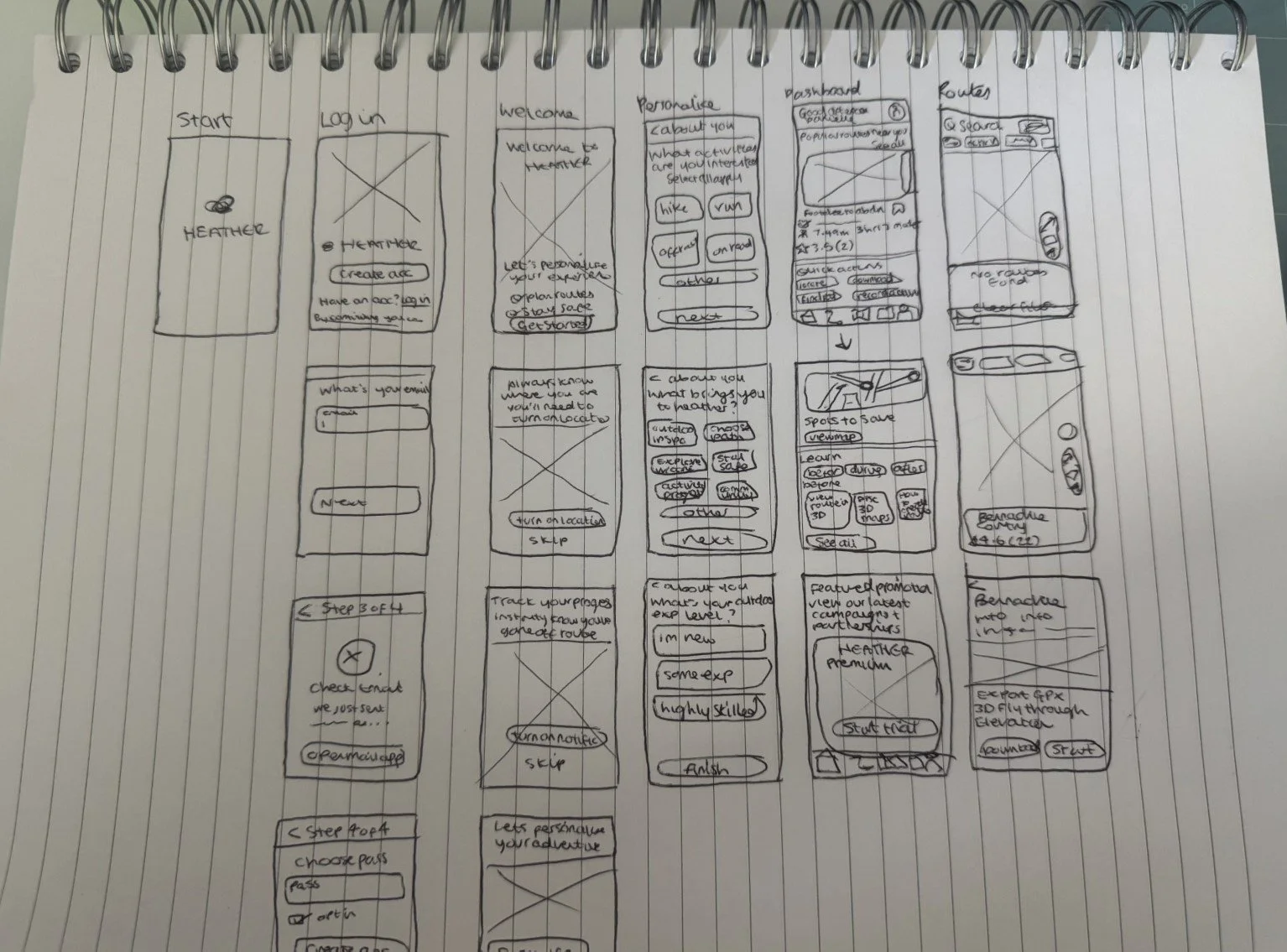
wireframe SKETCHES
I used quick paper sketches to explore layout ideas before moving into Figma. This allowed me to test different ways of arranging route cards, safety tools, navigation, and dashboard content.
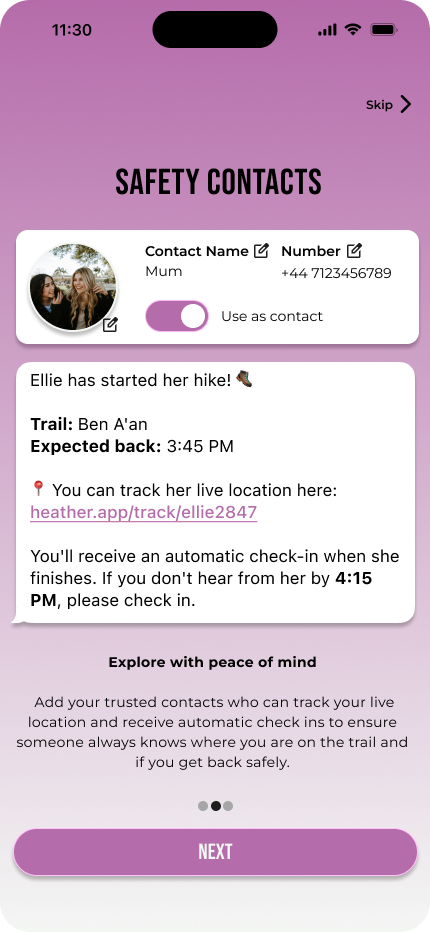
onboarding screens
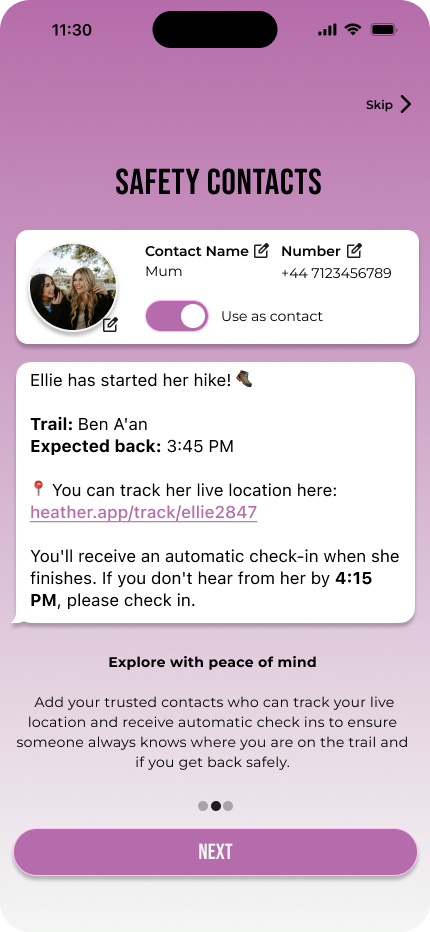
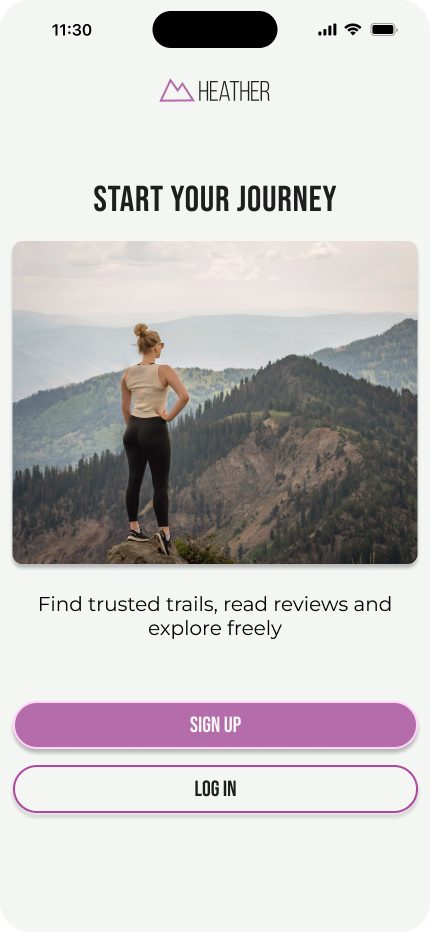
safety contacts
Allows users to add trusted contacts who can receive updates when they start or finish a route. This feature was designed to provide reassurance and support safer solo exploration.
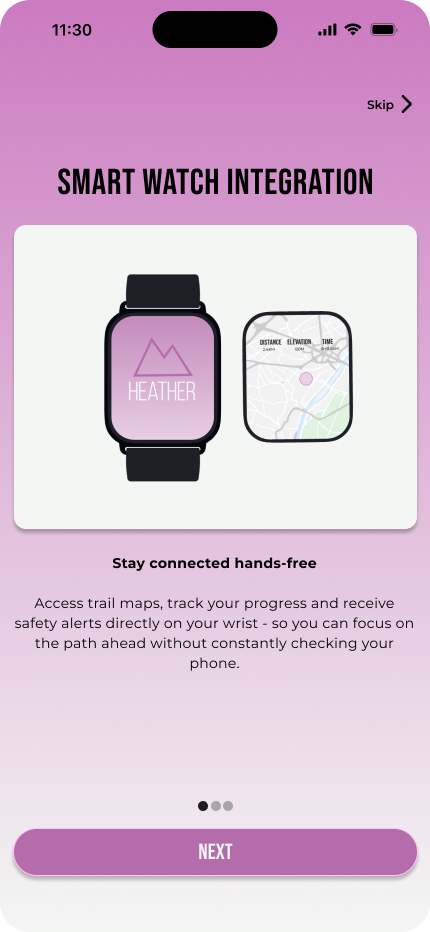
smartwatch integration
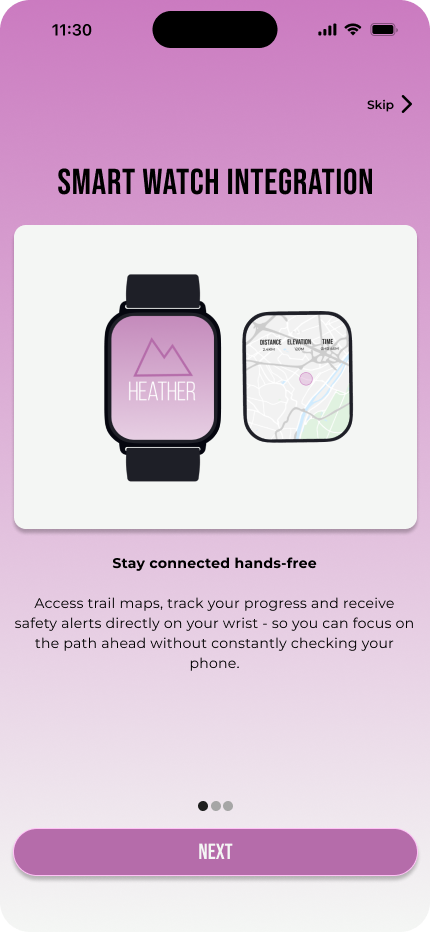
Provides hands-free access to route progress, safety alerts, and key updates while walking. This supports users who may not want to constantly check their phone while outdoors.
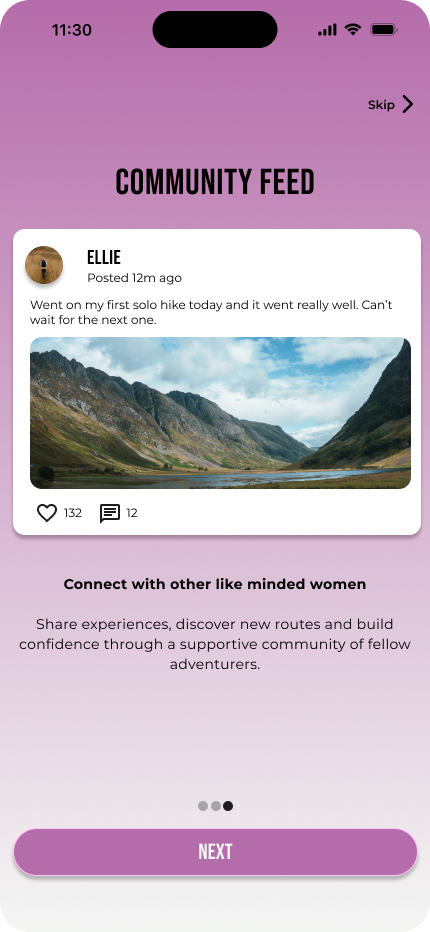
community feed
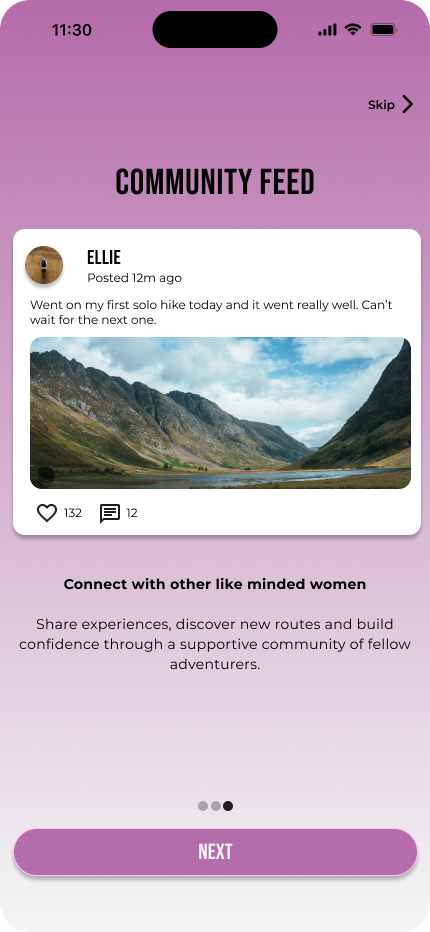
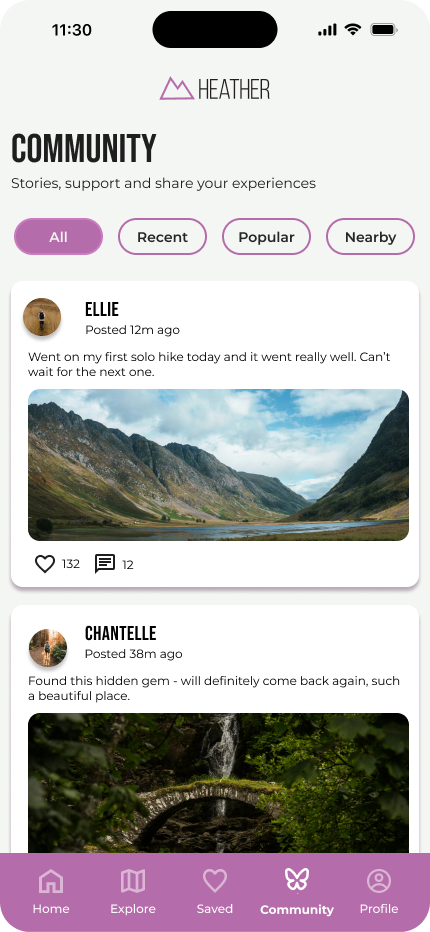
Creates a supportive space where users can share experiences, discover new routes and feel encouraged by other women exploring similar outdoor spaces.
core app features
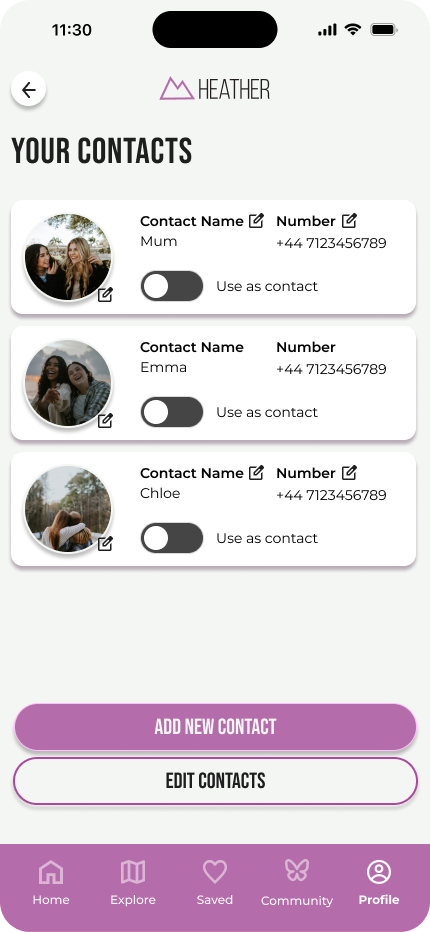
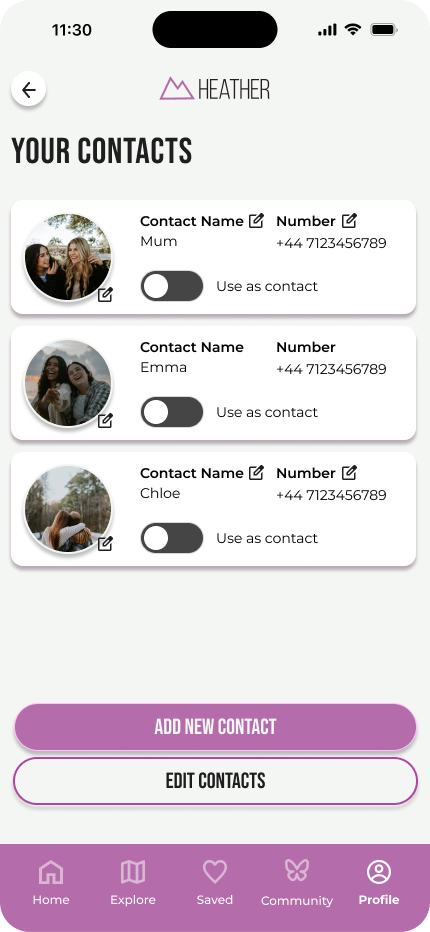
contact settings
Allows users to add trusted contacts before heading outdoors and choose if they want to use them as an active contact for future activities.
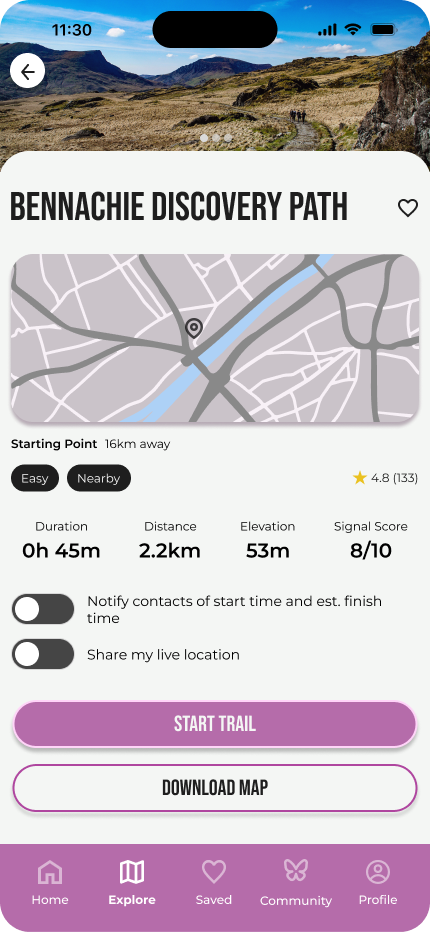
route details
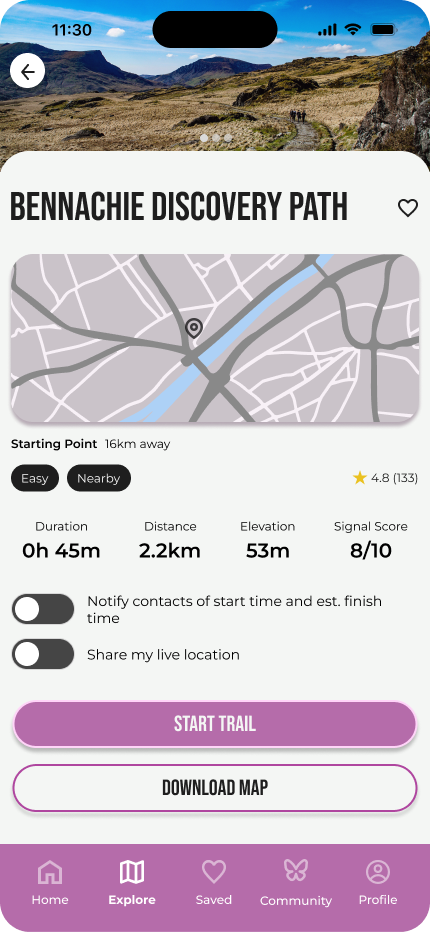
Provides clear route information such as distance, duration, elevation, difficulty, signal score, map preview, and safety options. This helps users make informed decisions before starting a walk.
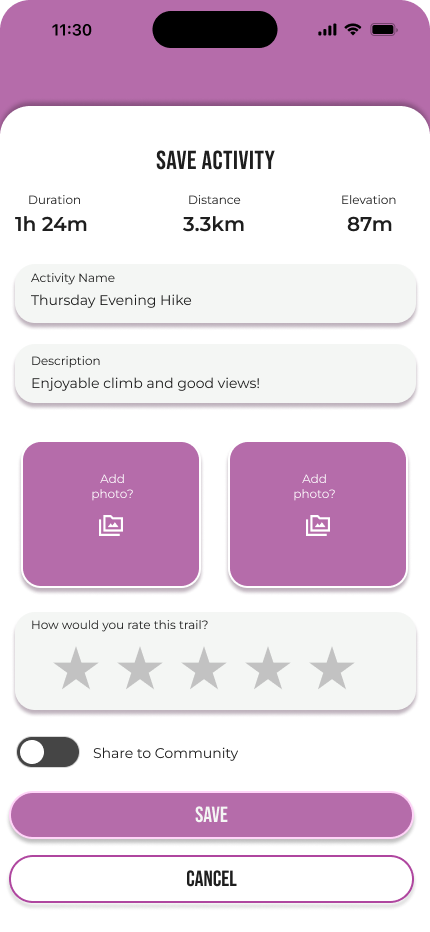
ACTIVITY SUMMARY
After completing a route, users can save their activity, add photos, rate their experience and choose whether to share it with the community. This supports reflection, progress tracking and confidence building.
community
The community feature helps outdoor exploration feel more welcoming and less isolating. Users can browse shared experiences and filter posts by recent, popular, or nearby content to find inspiration that feels relevant to them.
outcome & reflection
Heather was submitted as my final year capstone project and was awarded an A. The project helped me strengthen my UX research, branding, interface design, prototyping and storytelling skills.
This project also taught me the importance of designing for emotion as well as function. Heather was not just about helping users find routes, but about helping them feel prepared, reassured and confident before heading outdoors.
If developed further, I would carry out usability testing with more participants, refine the onboarding journey and explore live safety features in more detail.